
By LotusByte Studio · Published
GridJoy: plan a placement without crowding the board
A practical approach to comparing block placements, keeping useful space and learning from a crowded GridJoy board.
Read the pieces and the board together
The objective described in GridJoy’s store listing is to place blocks strategically, clear lines and improve your score. An empty cell is not necessarily useful space: a group of connected empty cells may fit a shape that several scattered single cells cannot. Before placing a piece, compare its footprint with the spaces it would leave behind.
Use the interactive tutorial to confirm placement controls first. This guide is about planning, not an undocumented scoring formula or a promise that every board has a winning move.
Compare two placements before choosing
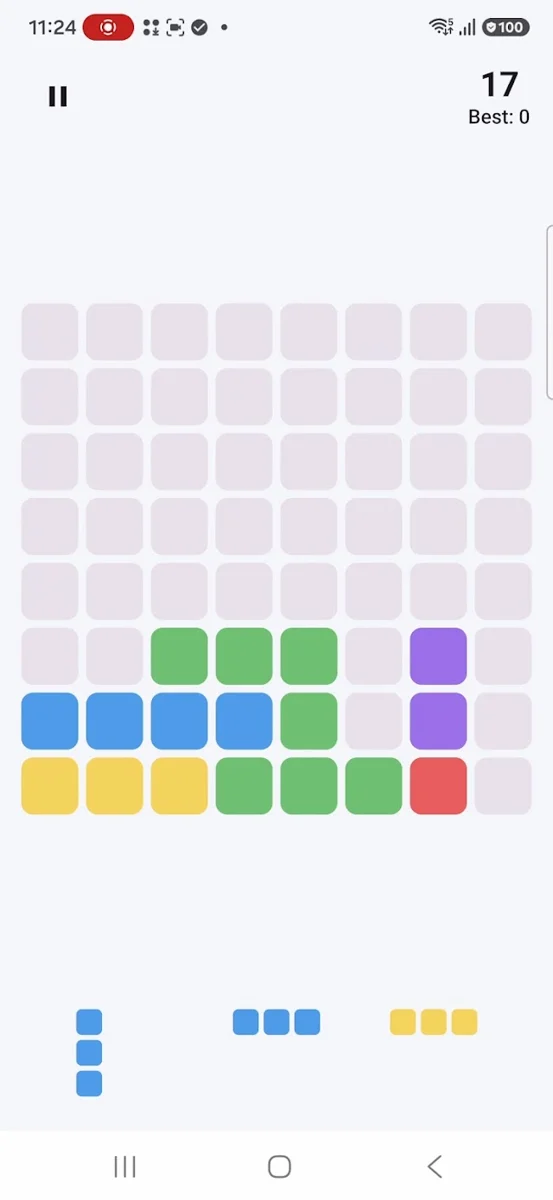
Imagine a board with a nearly complete line on one side and a broad open area on the other. A shape may fit in either place. Filling the line may produce a clear and reopen space; using the open area may leave the almost-complete line unresolved. Compare the resulting board, not just how neatly the piece fits.
This is a hypothetical planning example, not a screenshot of a particular level. A useful comparison asks three questions:
- Does this placement bring a line closer to completion?
- Does it divide a large empty area into small holes?
- Where could the other available shapes fit after this move?
When the board gets crowded
Slow down and identify which line is closest to completion. Check whether an available shape actually fills its remaining space. If it does not, look for a placement that preserves several future options instead of spending your last wide space on a small piece.
Avoid treating a difficult board as a reason to change every setting. Keep the same mode and difficulty for a few sessions so you can recognize recurring placement patterns. The catalog confirms multiple modes, but their names and detailed rules are not verified here.
Make the session easy to return to
Save & Continue is listed for GridJoy, and the store says progress is local. Use that feature when you want a break, but do not assume a session will appear on a second device. Before clearing app data or reinstalling, consider that locally stored progress may be lost.
A readable board helps planning. Choose a block theme and background that make empty cells, occupied cells and piece outlines distinct. Adjustable sound and vibration can also help you make a session more comfortable.
A look inside GridJoy
Try it in your next session
For your next session, change one habit: compare the board left by two possible placements before committing. The goal is to preserve useful options while working toward a clear, not to place every piece as quickly as possible.
Rules and features checked against the studio catalog and public Google Play description on October 15, 2026. Your installed build may differ.